Add Wallet Credit
Adding Credits to Wallet
This section will guide you through the process of adding credits to your wallet.
Step 1: Go to Wallet Details
Click the arrow next to your wallet balance, this will take you to your wallet details.
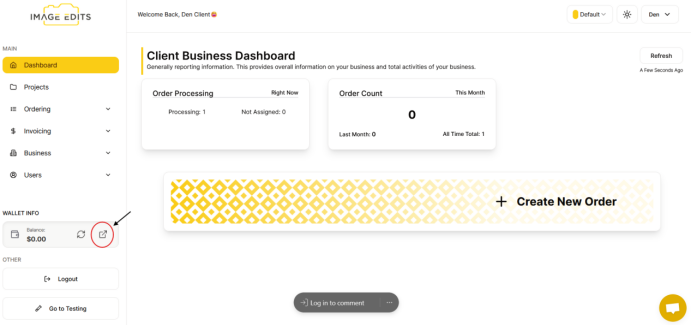
You will be directed to transactions, then click on "add credit". Note: Transaction is history of all transactions on wallet, including adding credit, and then the deductions from paying orders/invoices.
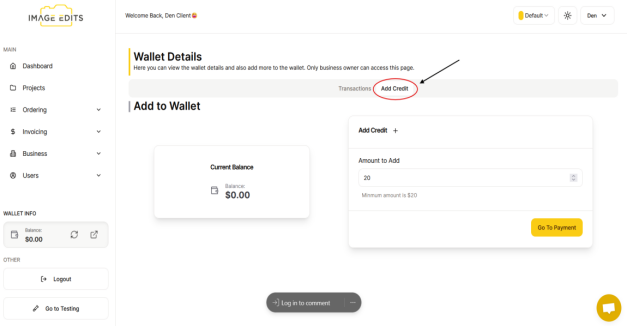
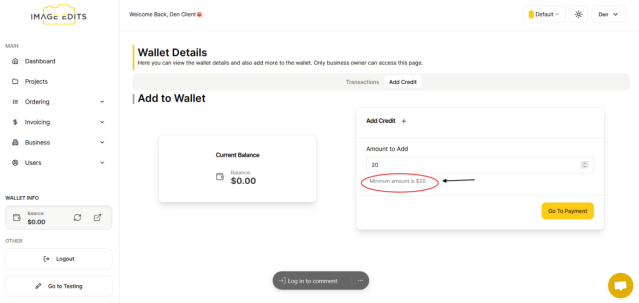
Step 2: Input Desired Amount
Input an amount that is a minimum of 20 dollars and once done, click the "go to payment" button.
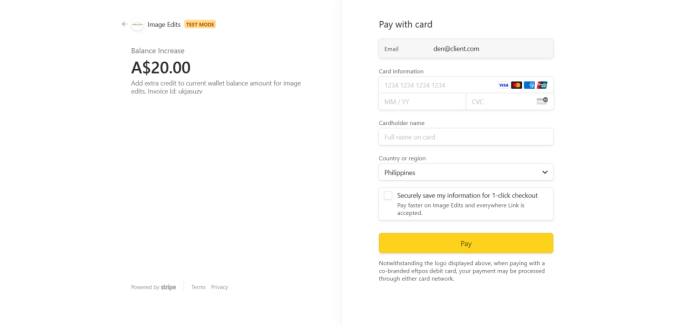
Step 3: Input Card Details
To add credit, you will need to provide card information. Enter your card information including the month and year, CVC, your full name on card, and your country. Click the "Pay" button when you have finished.
This is a stripe checkout page, you likely have seen a few of these checkout pages before if you've dont shopping online.
Once done, "invoice payment success" appear
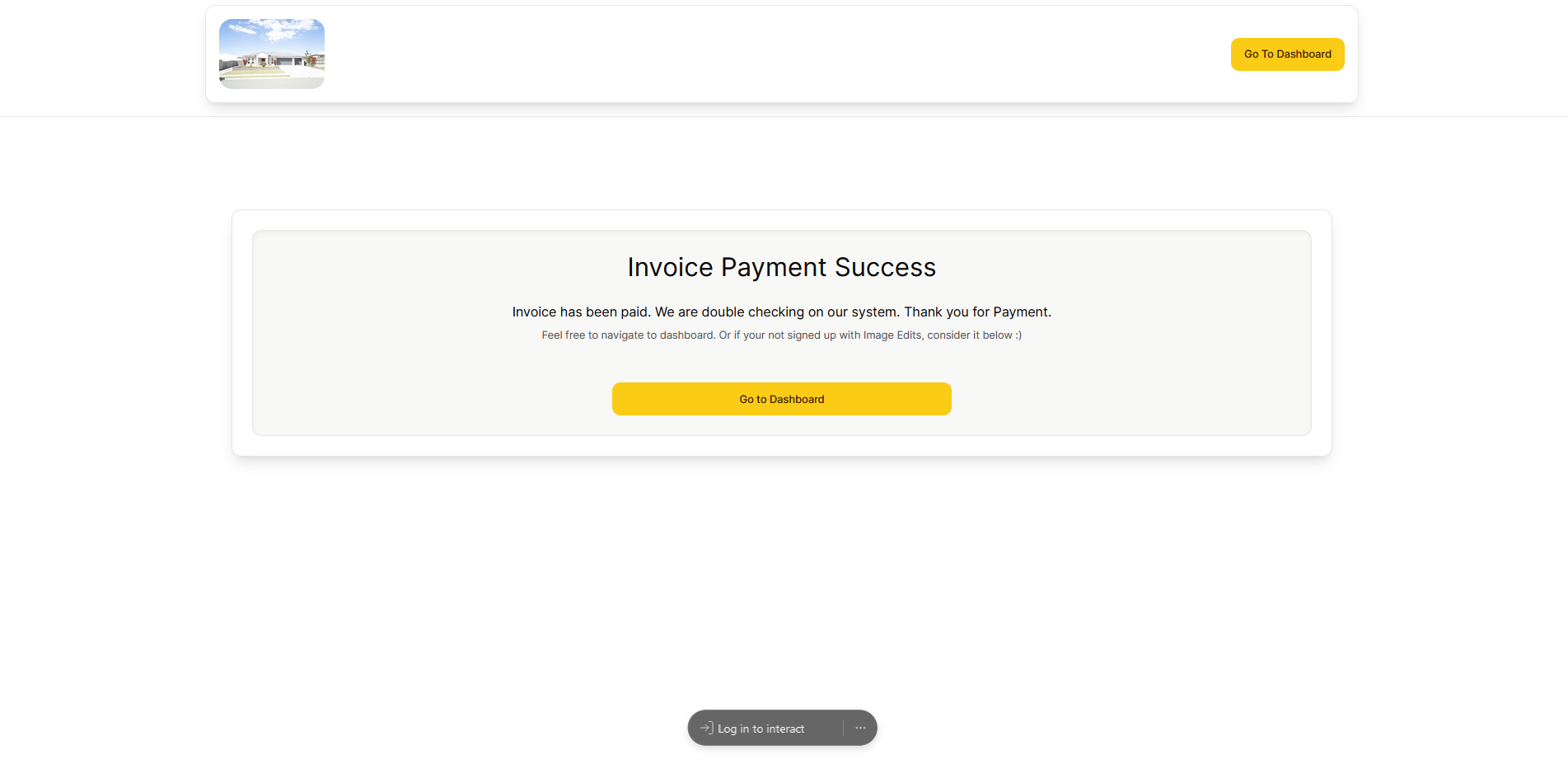
From the image above, click the "Go to dashboard" button to return to the website, where you can also see that your credits have been added to your wallet.