Service Filtering Option
This section will briefly go over the possible filtering options when selecting a service.
Service Categories
Here's an explanation of each service category offered by "Image Edits":
- Photo Editing: Enhancing or modifying photographs to improve quality or correct imperfections.
- Floorplan & Siteplan: Creating or modifying floorplans and site plans, often used in real estate and architectural contexts.
- Virtual Staging: Digitally adding furniture and decor to empty spaces in photographs to visualize potential arrangements.
- Item Removal: Removing unwanted objects or elements from photographs to improve composition.
- Virtual Renovation: Digitally altering properties or spaces, such as changing paint colors or adding virtual renovations without physical changes.
- Day to Dusk: Transforming daytime photographs into dusk or evening scenes to enhance visual appeal.
- Drone Editing: Processing and enhancing aerial photographs captured by drones to improve clarity, color, or remove unwanted elements.
Currency
You can select your preferred currency. When you check the price of your order, it will automatically convert to the currency you've chosen.
Client Type
In the context of a real estate photo editing business, there are typically two main client types:
- Photographers: These are professional photographers who specialize in real estate photography. They capture images of properties for sale or rent, and they require editing services to enhance the quality of their photos before delivering them to their clients (real estate agents, property owners, etc.).
- Standard Clients: This category includes real estate agents, property management companies, property owners, or anyone else involved in the real estate industry who needs professional photo editing services. They often hire real estate photo editing businesses to enhance the images of their properties for marketing purposes.
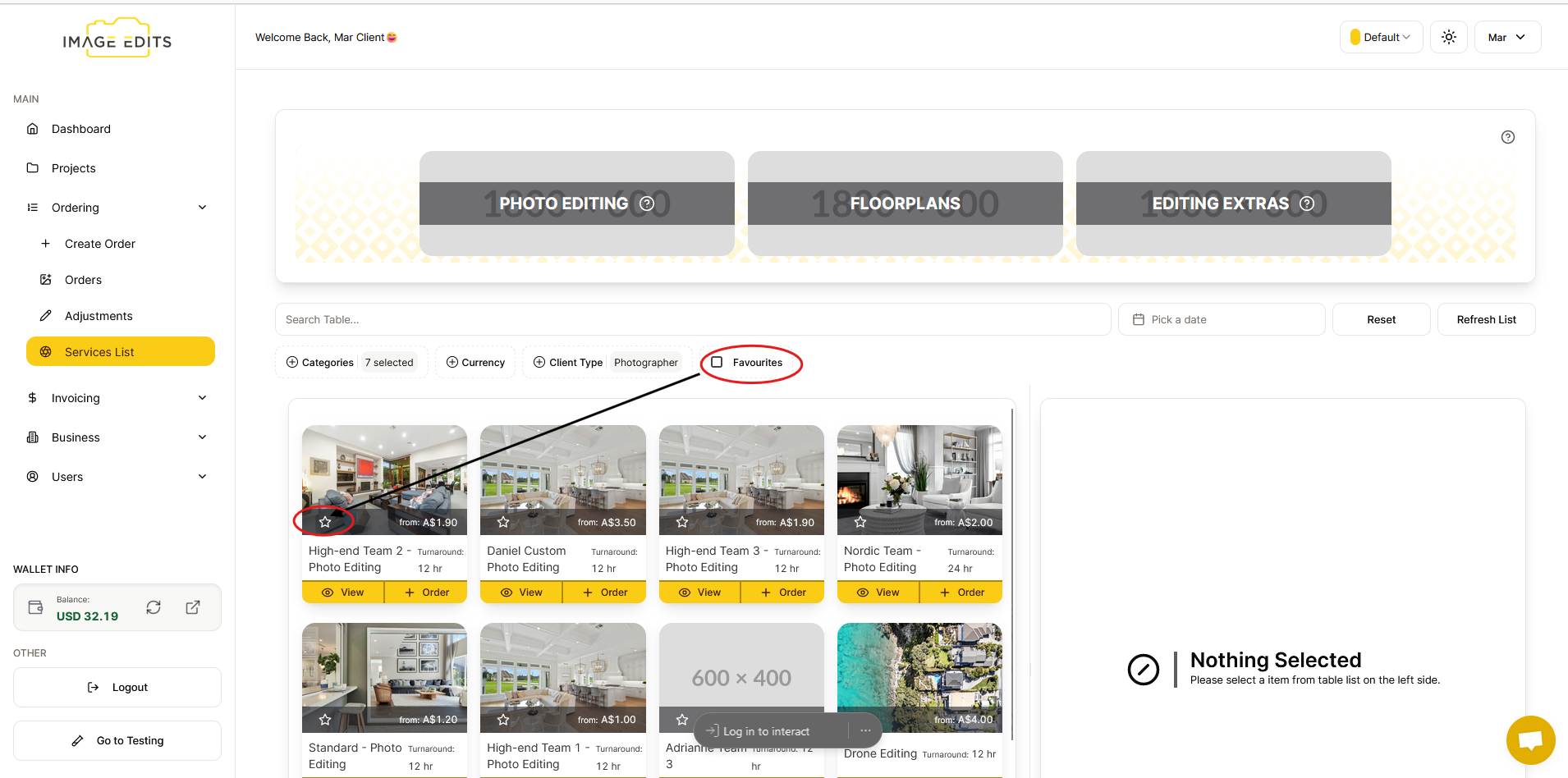
Favourites
To add favorites, simply click on the star icon next to the item or content you want to save. This usually signifies adding something to your list of favorites or bookmarks for easy access later on.
--- ### View Details
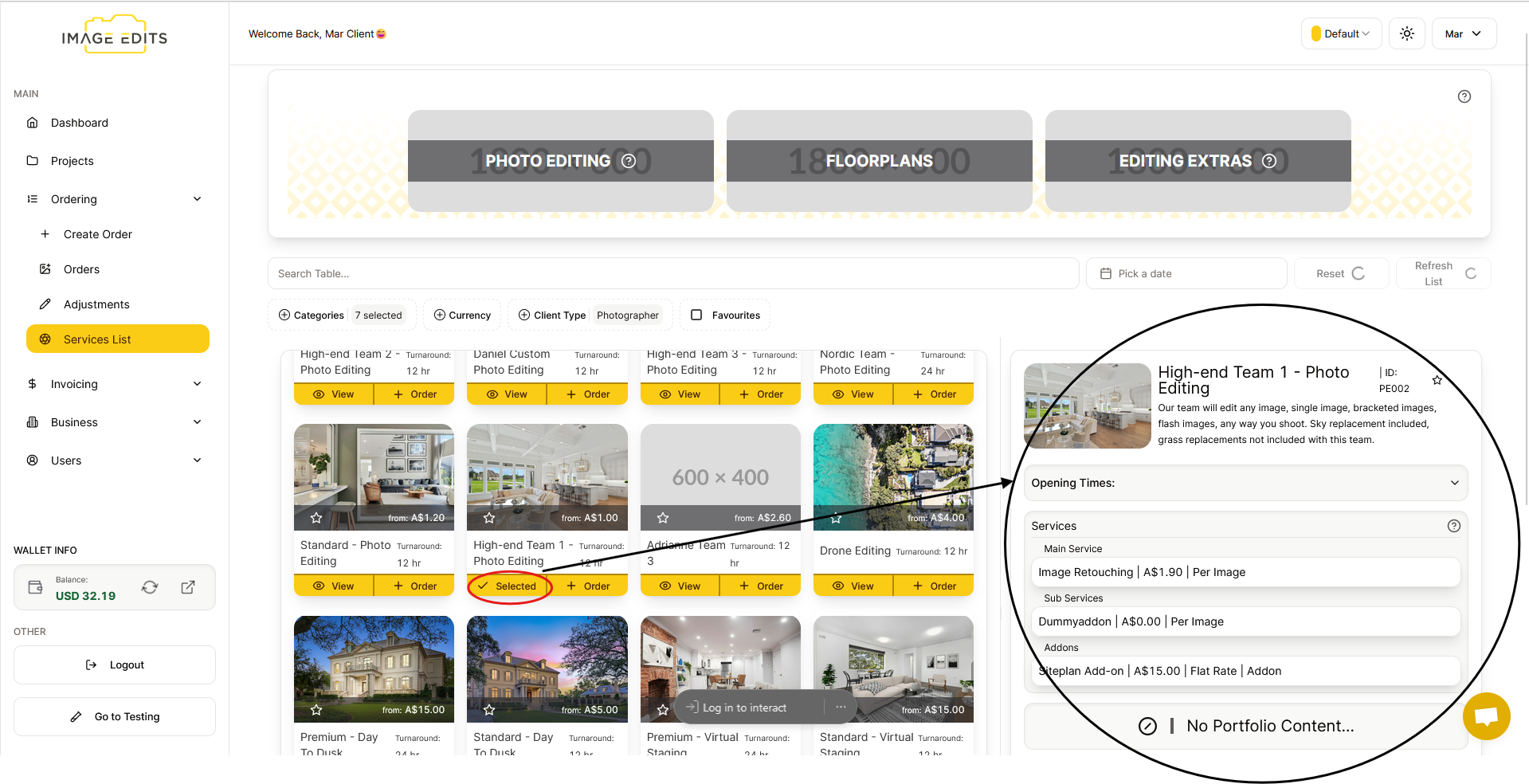
To view details, simply click the "View" button. After that, the details will appear on the right side, explaining the services and providing a brief description of the order.
Reset
Upon clicking "Reset," it typically refers to the action of clearing or reverting any filters that have been applied to a set of data, such as in a list or a table.