Block Download Fix
Issue Alert: This problem emerged recently (as of 12-2-25). While we work on a permanent solution and communicate with Google, below is a temporary fix to help you resolve the issue.
Chrome Blocking Downloads
Who is affected?
This issue impacts Chrome users attempting to download content from Image Edits. Other browsers like Firefox, Edge, and Safari are currently unaffected, but we are monitoring the situation.
Why is Chrome blocking downloads?
This issue likely arises because Image Edits is a smaller, relatively unknown site that handles large files (e.g., zipped archives). Chrome's security algorithms may flag zipped files as suspicious, even though our site is completely safe and free of malware. We zip files to simplify downloads for users, avoiding the need to download each image individually.
We are actively working on a permanent solution and will keep you updated.
Temporary Solution
For Chrome users, follow these steps to adjust your browser settings:
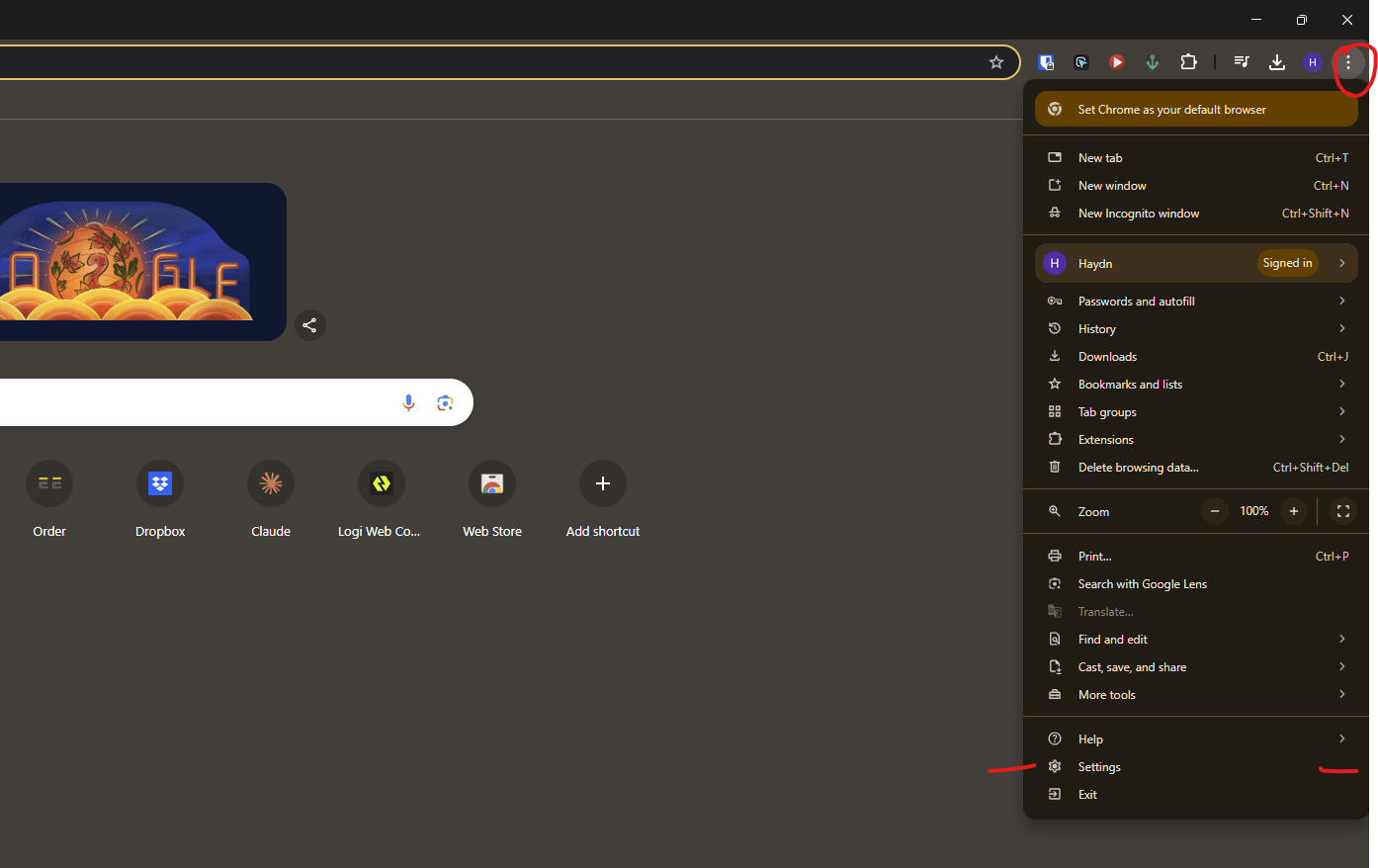
Step 1: Open Chrome Settings
Navigate to Settings in Chrome.
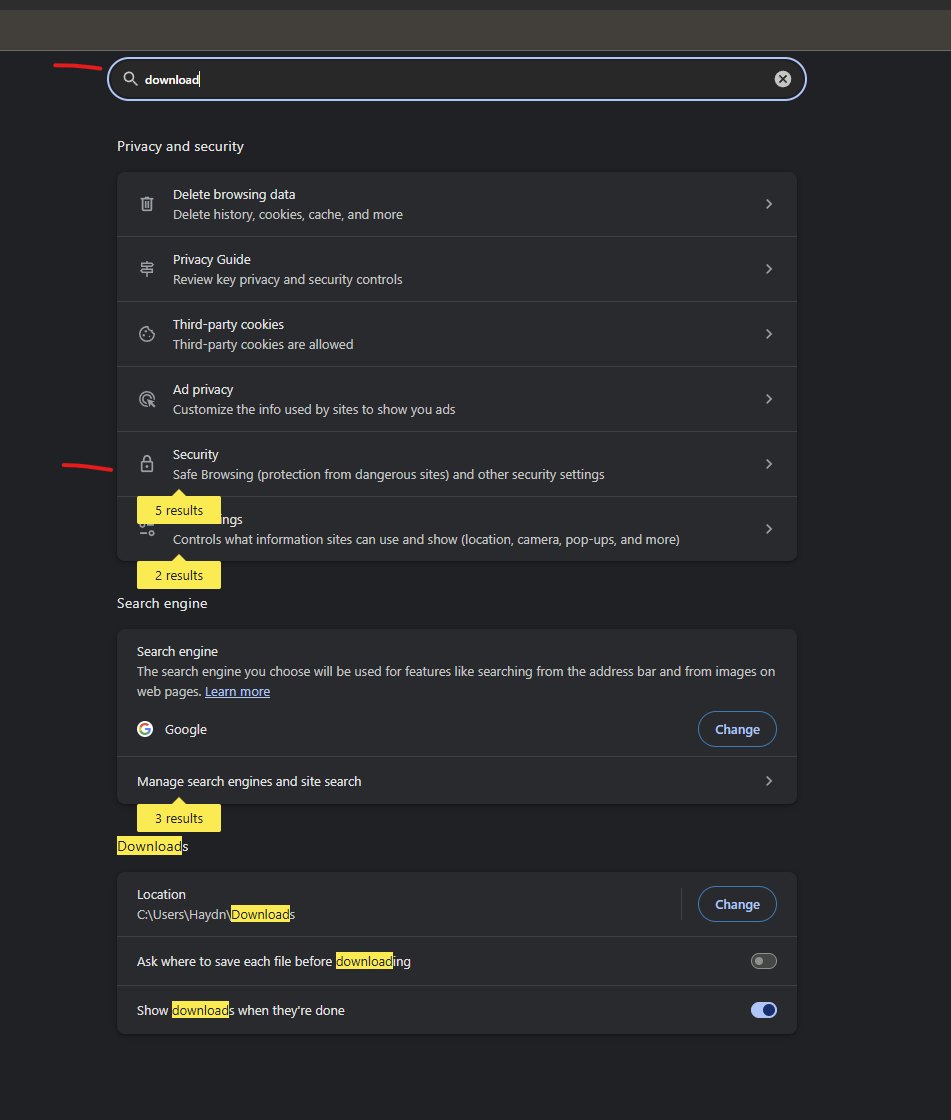
Step 2: Search for "Downloads" and Select Security
In the settings search bar, type "Downloads", then select the Security option.
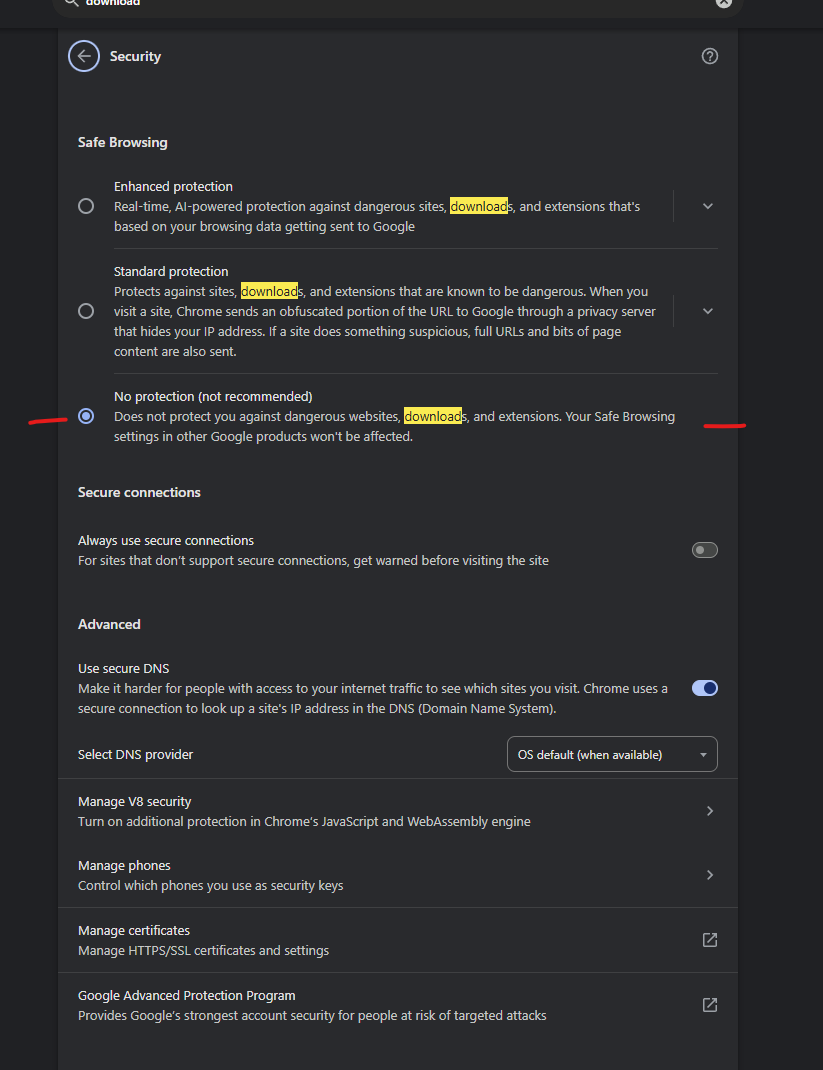
Step 3: Adjust Download Settings
Modify the settings as shown below to allow downloads.
All Set!
Following these steps should resolve the issue. If you continue to experience problems, please contact us, and we’ll assist you promptly.
Stay Updated
We are actively working on a permanent solution and will notify users as soon as it’s available.