Edit Profile
This section will guide through the process of editing your profile.
You can always edit your own profile, but the business owner can also edit all users within their business team.
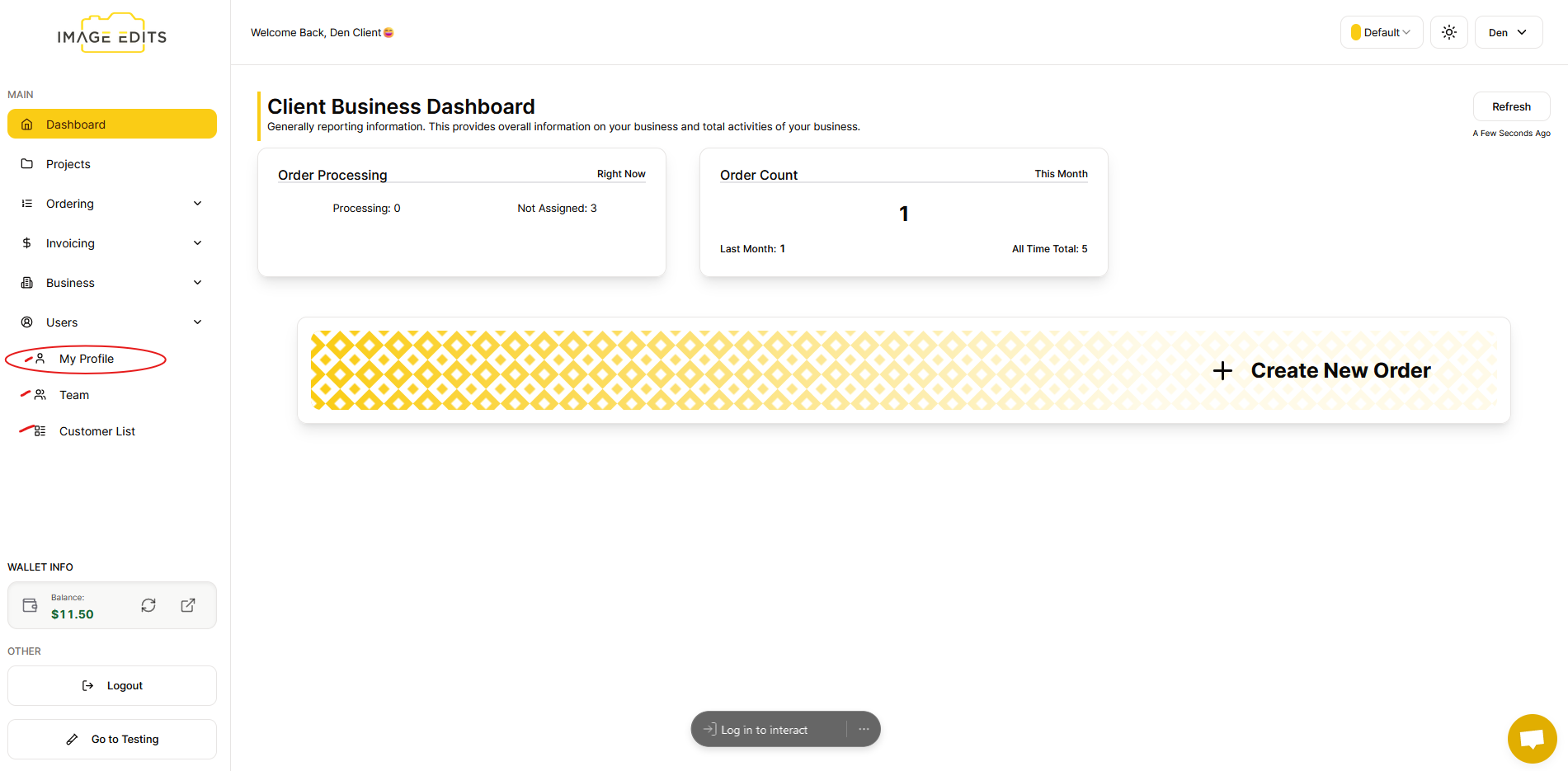
Step 1: Navigate to My Profile
After clicking the users - My Profile, Team and Customers List will appear. Select My Profile menu item. (Or if business owner, you can go to the Team to select the team user you would like to edit profile of.)
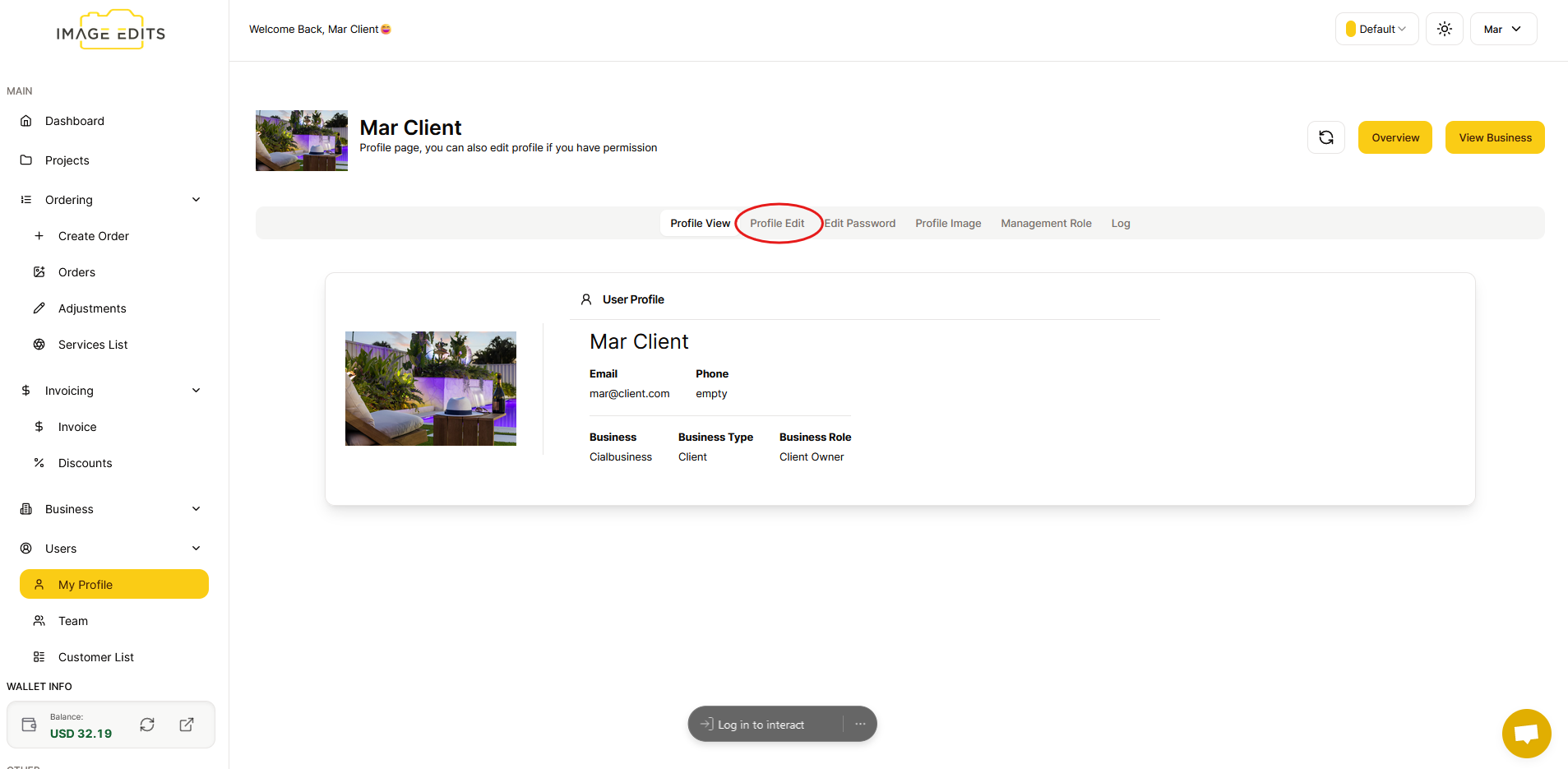
Step 2: Go to Profile Edit Page
After that, you will go straight to the "profile view" and click "profile edit"
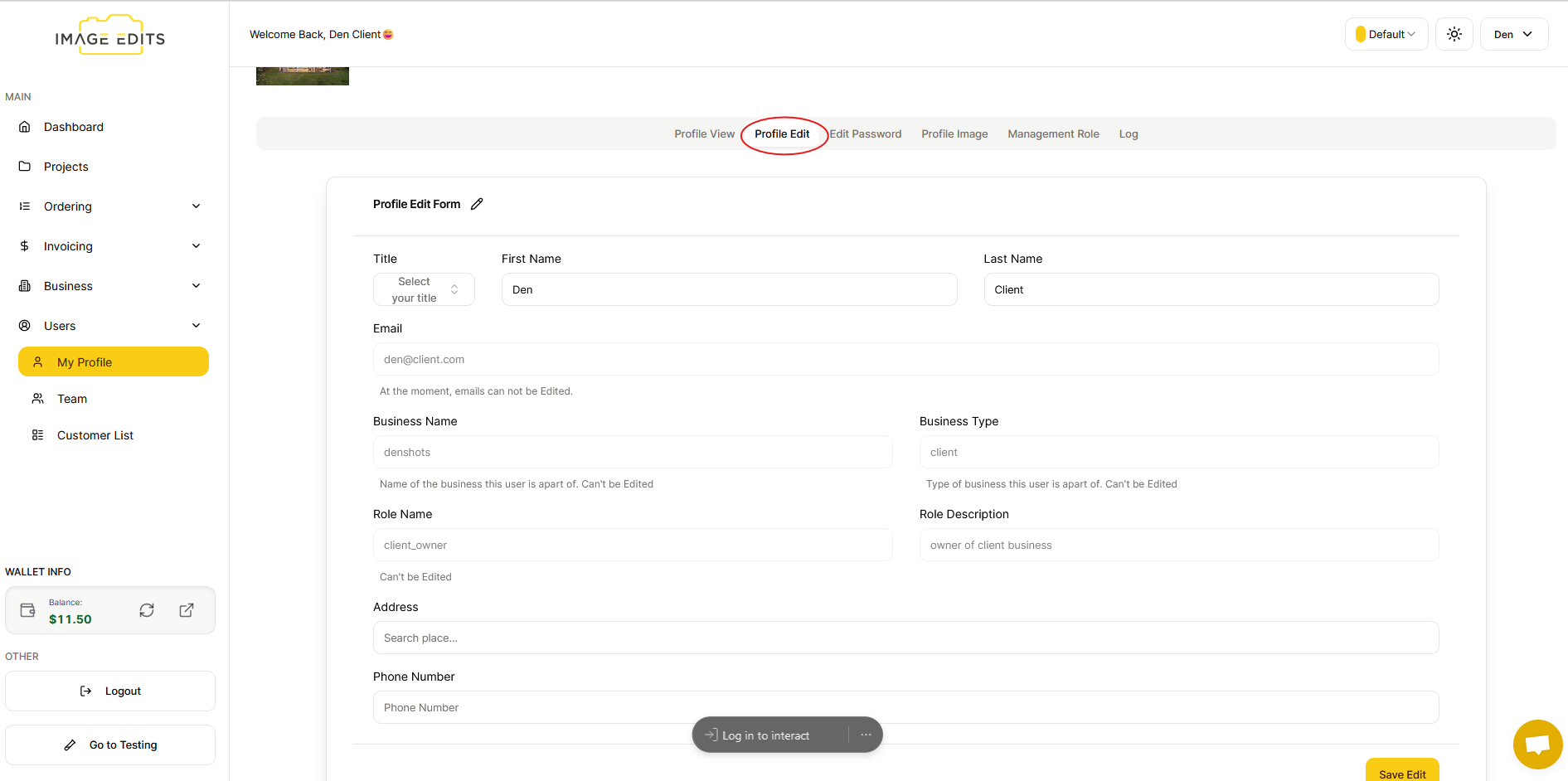
Step 3: Profile Edit Form
Here, you can edit your profile, although certain details may not be editable.
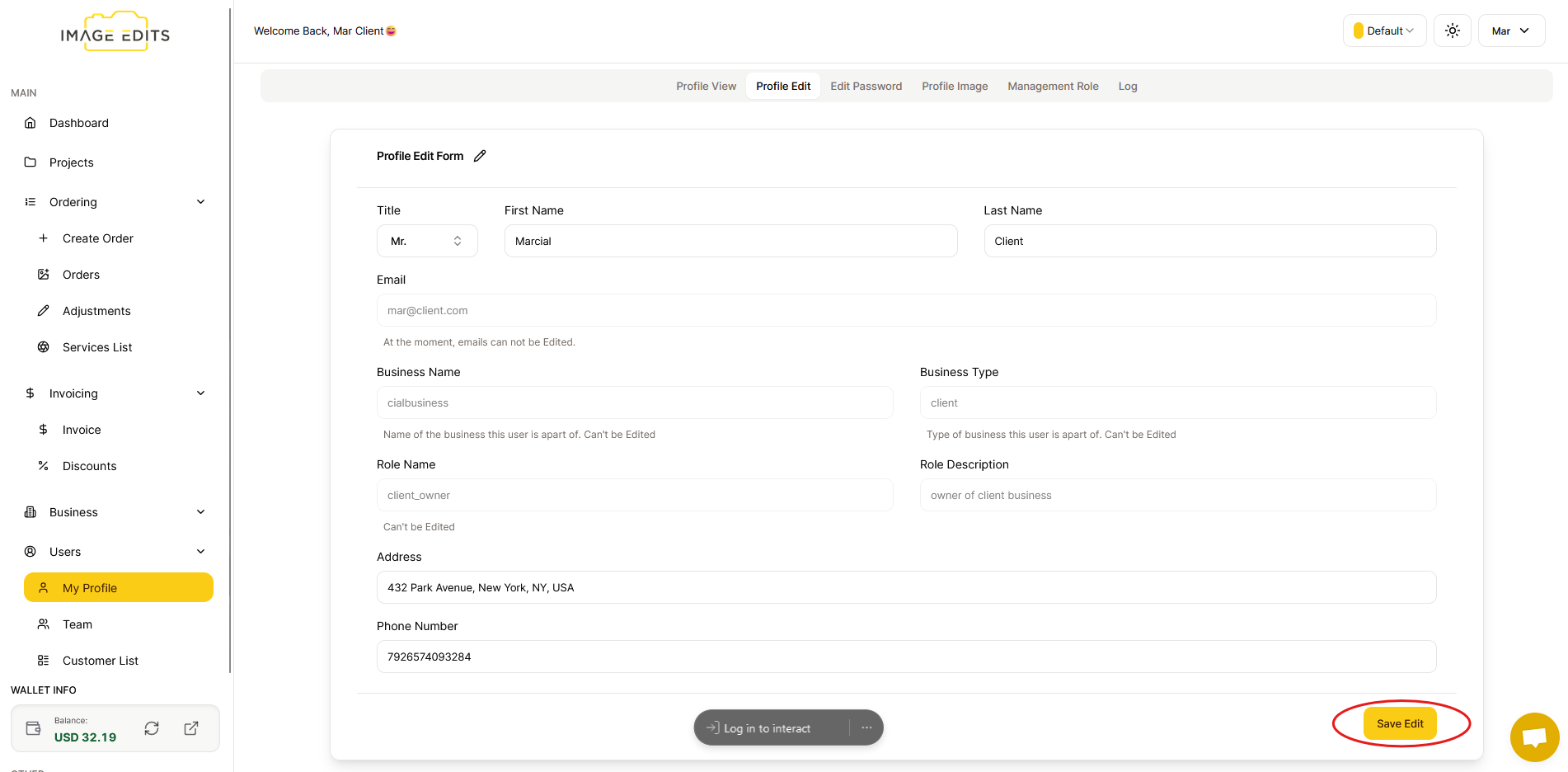
After you finish editing, click the "Save Edit" button.
Once done, go back to "Profile View" and there, you can see that your user profile has been updated.