Logs & Share
Share & Log Section
Share Section
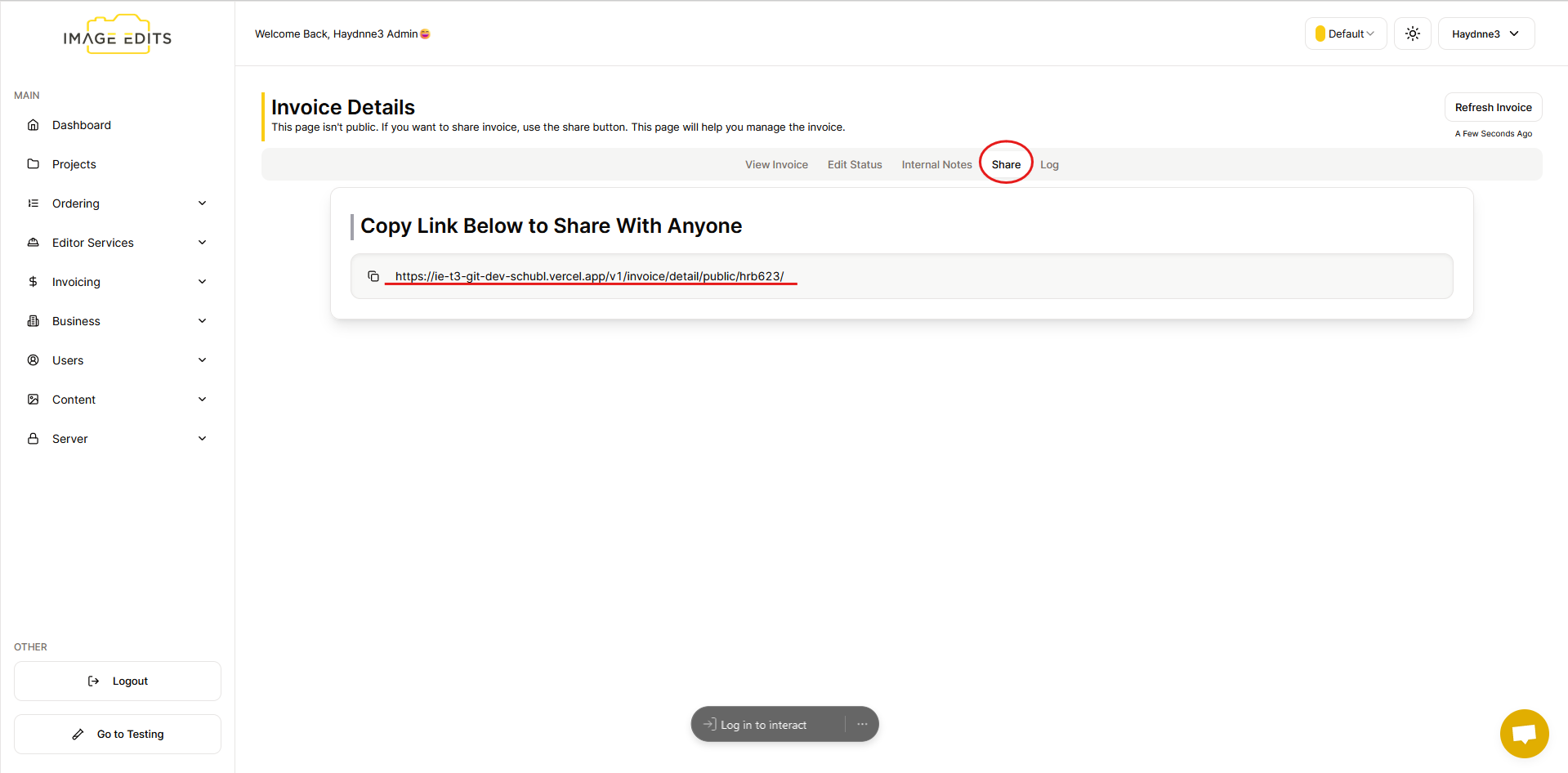
In the "Share" section, you will find the link to access your invoice. This link allows you to easily share the invoice with others, providing convenient access to its details and information. The main purpose is if you have accounts team that you need to pay the invoice directly.
Log Section
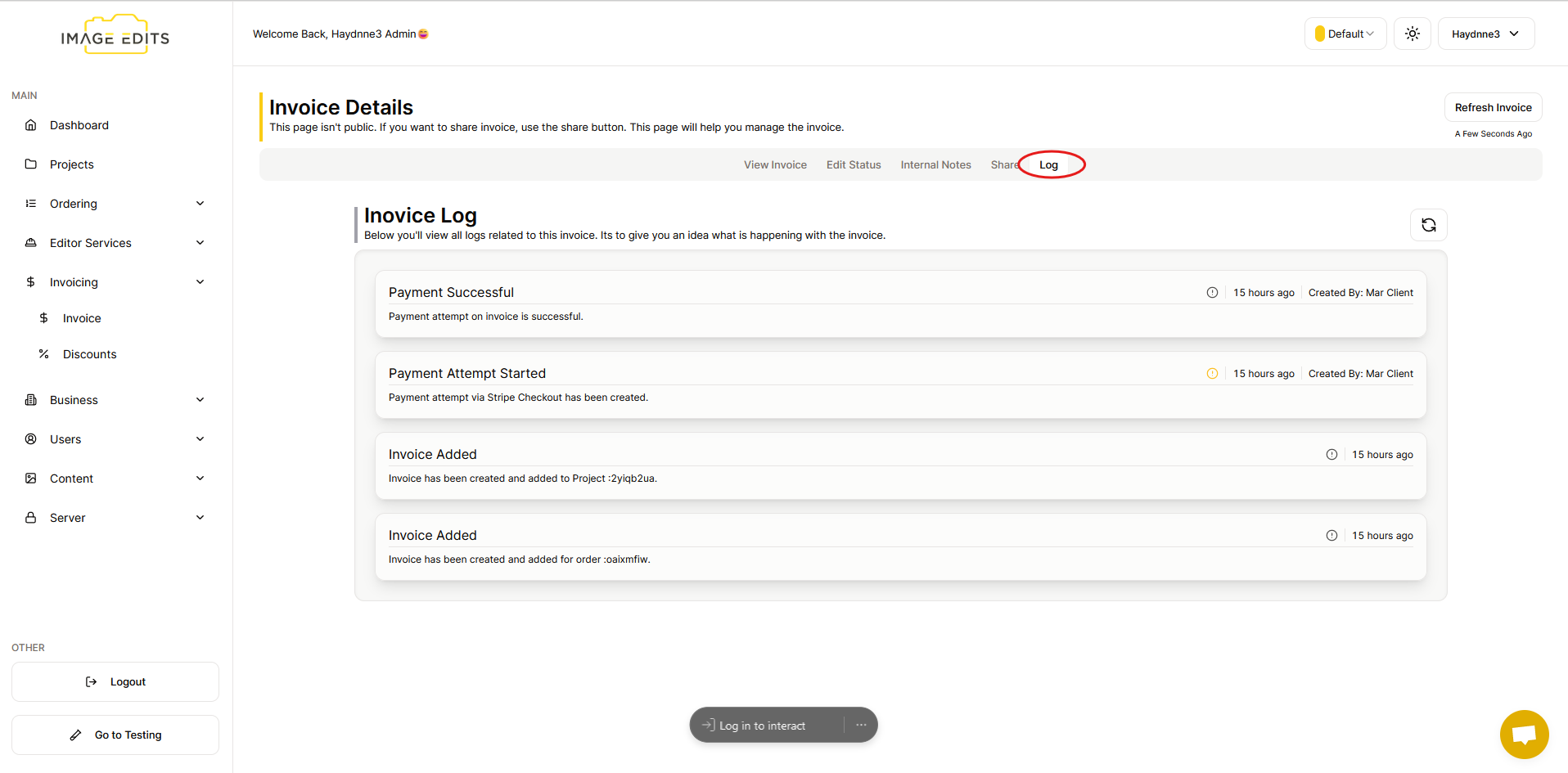
Next one is the "Log" section which typically refers to a record or history of invoices that have been generated, sent, or received. It can include details such as invoice numbers, dates, amounts, status (e.g., paid, pending), and any related notes or actions taken on each invoice. This currently is only visibly to the invoice creator.