Edit Invoice Status
To update the status, visit the Edit section where you can make changes to your invoice status. Note that some details, such as the invoice ID and status, may not be editable.
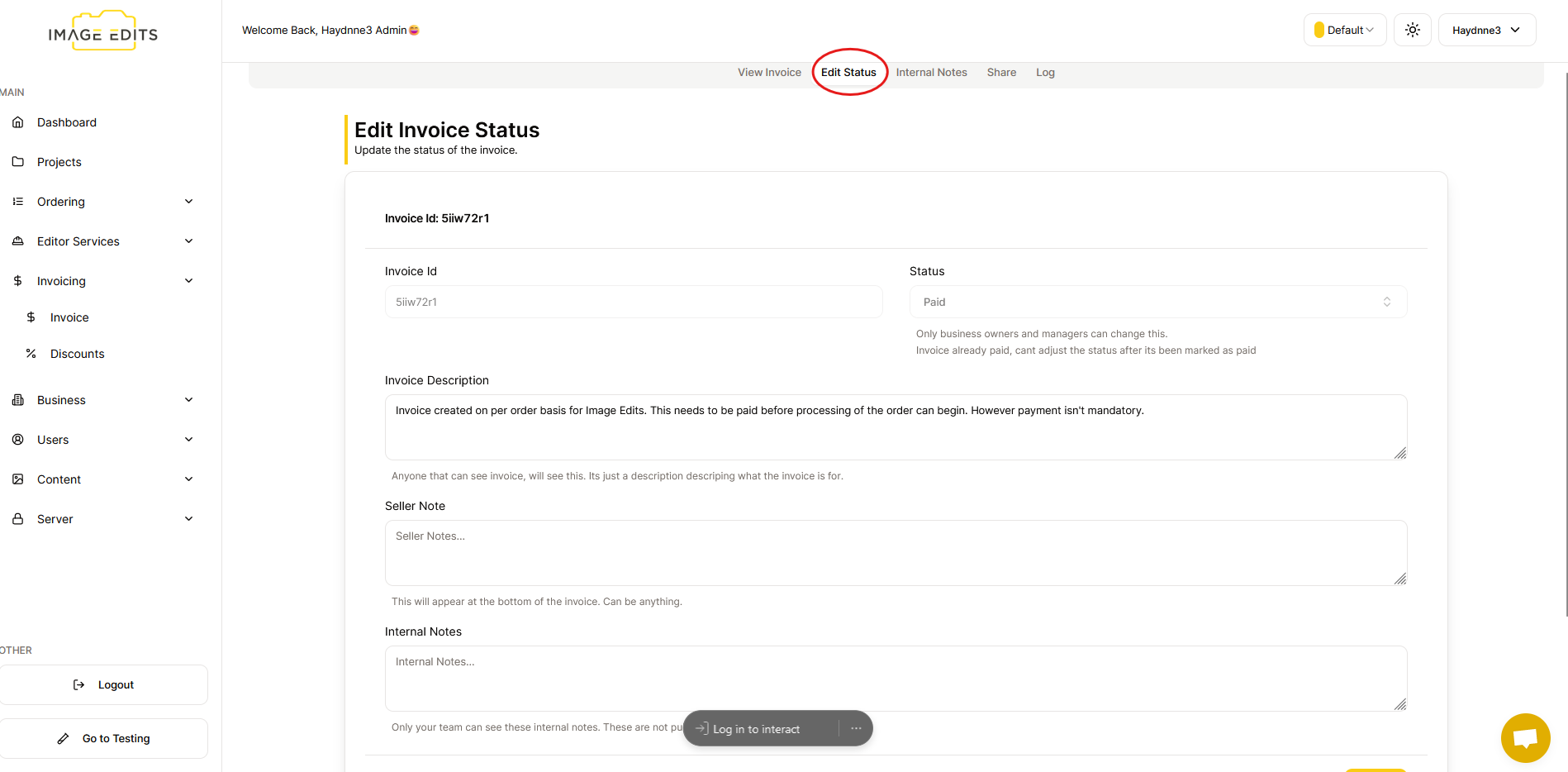
Input Explain
- Invoice Id - This is a unique identifier assigned. This can not be changed.
- Invoice Status - This is the status of the invoice. This can be changed, from unpaid to paid or cancelled, but it can not be changed back to unpaid.
- Invoice Description - This is the description of the invoice. This is viewable on the invoice at the top of the invoice details page.
- Seller Note - This is a note from the seller about the invoice. This is viewable on the invoice, if it is not empty, it will be shown just above the invoice items section. Its useful to displaying example bank transfer details or just a personal note to the buyer.
- Internal Note - This is for internal management/communication. This is NOT viewable invoice, and only viewable from the creators business for internal communication.