Edit Email Notifications / Unsubscribe
Updating Email Preferences | Unsubscribing from Emails
Quick guide on where to find the settings to unsubscribe or resubscribe to emails.
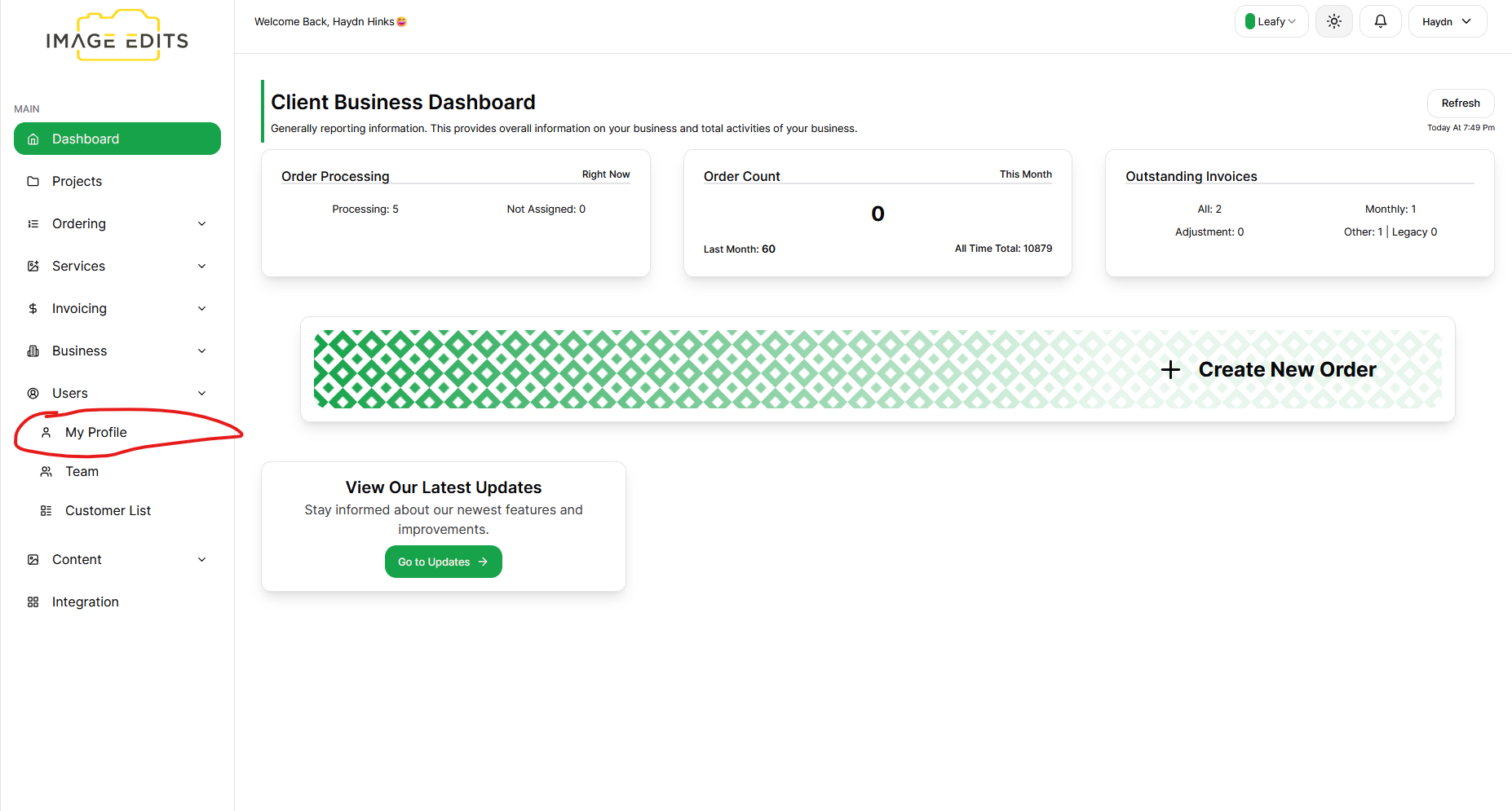
Step 1: Navigate to My Profile
After clicking the users - My Profile, Team and Customers List will appear. Select My Profile menu item. (Or if business owner, you can go to the Team to select the team user you would like to edit profile of.)
Step 2: Go to Email Notification Tab & Edit Preferences
Note: You can't disable billing or security emails, as those are important for account management and security.
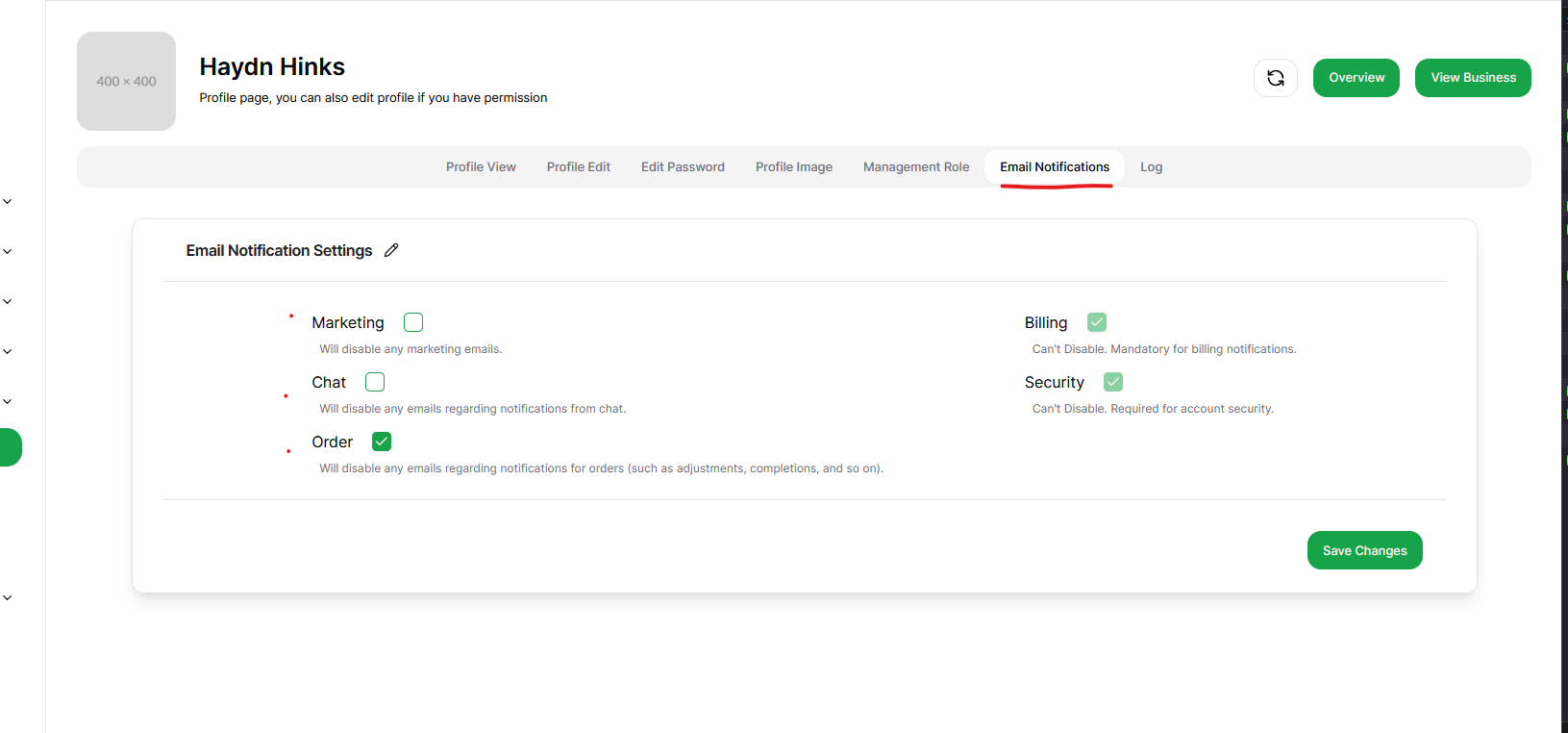
Step 3: Save Changes
Once you’ve updated your preferences, click Save Changes. Your preferences will be updated immediately, and you'll no longer receive emails within the categories you’ve disabled.
Troubleshooting
If you’re still receiving emails after updating your preferences:
- Please contact us, we will be there to help.