Sign Up as a Team Member
This applies to whatever business you sign up for, doesnt matter if its photography business or editor business, process is still the same.
This section will guide you to sign up as team member to existing account on Image Edits. Think you are a new photographer, in existing photography business, instead of needing to share account details or have completely separate account, you can sign up as a team member to existing account on Image Edits. You then will be under the same team you signed up under.
Prerequisite: You need to get a signup link off your photographer company/boss, on their account under their business section, they will have a unique sign up link for their business to add new team members.
The page will look like below:
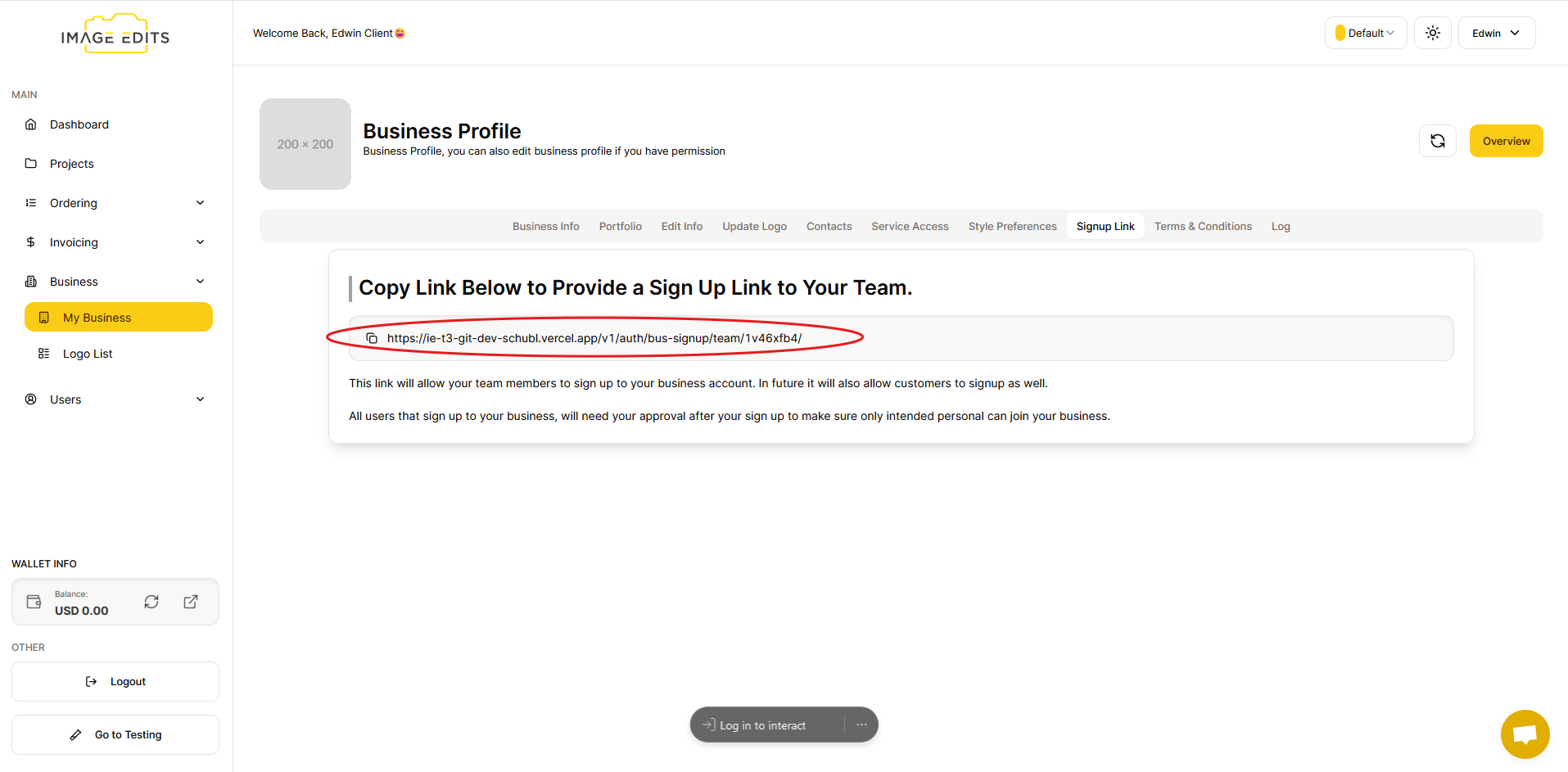
You'll need the link copied in that above image. Once you have the unique link for your specific business you want to sign up to, you can follow below.
Step 1: Start Sign Up
Firstly we are going to navigate to that link we have copied from above. You should be redirected to the sign up page, similar to below, however with the Business Name you are expecting to sign up with.

Step 2: Fill Out Account Creation Form
To proceed, create new account by entering your name, last name, email, and password. once done, click the Sign Up button
Step 3: Await Approval
Once done, "All Signed Up" appear. You just need to await approval of your account from the business management. The business owner will be notified by the system and also email of new user signup.